Amplify Administrator Success Hub
Welcome to your administrator success hub!
Your comprehensive resource for onboarding, ongoing support, and educator empowerment.

Complete your onboarding [June–Sep.]
Four simple steps to successful implementation
Log in to your Customer Portal to complete your onboarding tasks. Use these tabs for guidance with each step and ensure your Amplify programs are ready when school starts.
📌 Onboarding Tips:
- Please reference your Customer Portal login credentials as these differ from credentials for program access.
- Ensure a smooth start to the school year by managing your setup at your own pace. Download a copy of the self-guided checklist that best fits where you are in your Amplify journey:
Select the tabs below to navigate through your four essential setup steps and register for our onboarding office hours.
EXPERT GUIDANCE FOR EVERY STAGE OF YOUR JOURNEY
Amplify Admin Office Hours
Get personalized support from our onboarding specialists through live, interactive sessions designed specifically for administrators. Each session is customized for your state’s requirements and includes real-time Q&A.
🎯 WHAT YOU’LL MASTER:
- Data sharing and roster setup (July 14–15, Aug. 4–5, 18–19, or Sep. 1–2)
✨ Register early to secure your spot in these high-demand, state-customized sessions and receive advance materials plus priority access to expert guidance.
MISS A SESSION?
View the recording of an Onboarding Portal Essentials session for additional support.
View the recording for a Data sharing and roster setup session for guidance.
GET THE RIGHT INFORMATION TO THE RIGHT PEOPLE
Assign onboarding contacts
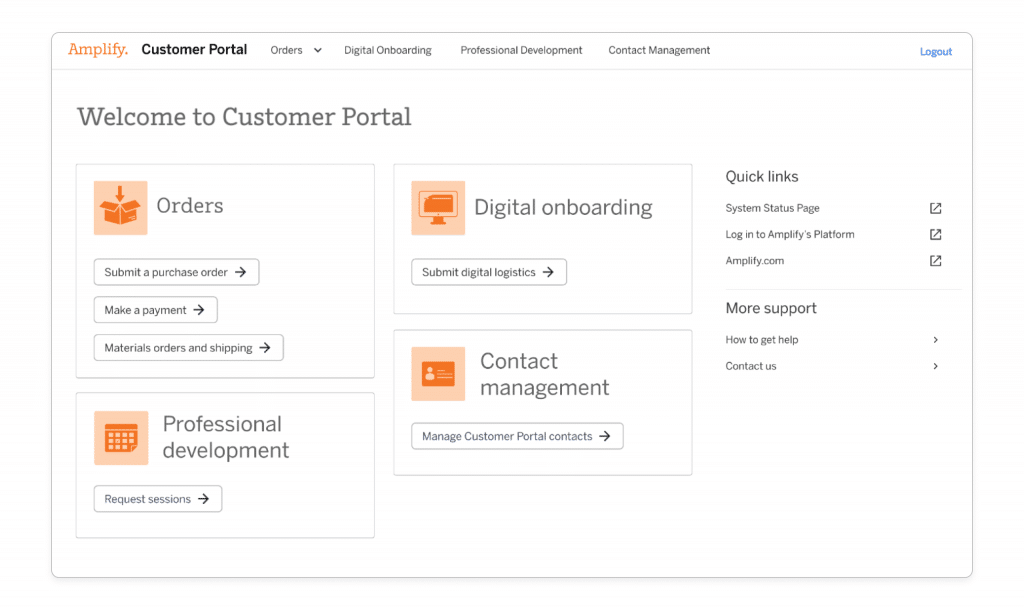
Complete the Contact Management Page in your Customer Portal to assign contacts by responsibility: materials delivery, digital licensing, and PD scheduling.
Learn more about the steps for managing your onboarding contacts.
🆘 Need help?
Connect with live experts for real-time support.
Access comprehensive support anytime, anywhere with our 24/7 Help Center.
Open a case for assistance.

PREPARE YOUR DIGITAL ENVIRONMENT
Set up digital access
Complete the Digital Onboarding Page in your Customer Portal to configure licensing, enrollment, and login settings.
Learn more about the steps to complete your digital onboarding.
🆘 Need help?
Connect with live experts for real-time support.
Access comprehensive support anytime, anywhere with our 24/7 Help Center.
Open a case for assistance.
COORDINATE YOUR PHYSICAL RESOURCES
Arrange materials delivery
Complete the Order Management Page in your Customer Portal.
Learn more about the steps to complete your material onboarding.
🆘 Need help?
Connect with live experts for real-time support.
Access comprehensive support anytime, anywhere with our 24/7 Help Center.
Open a case for assistance.
MAXIMIZE YOUR INVESTMENT WITH EXPERT TRAINING
Schedule professional development
Complete the PD Scheduling Page for any purchased professional development in your Customer Portal.
Learn more about how to schedule your PD.
Click drop down to view PD session descriptions.
Literacy
Program-agnostic
Program specific
- Early Literacy Suite sessions or Biliteracy Suite sessions
- State-specific descriptions
Math and Science
Program-agnostic
Program specific
Additional sessions PD descriptions
🆘 Need help?
Connect with live experts for real-time support.
Access comprehensive support anytime, anywhere with our 24/7 Help Center.
Open a case for assistance.
Understanding assessment data [Oct.–May]
Turn your assessment data into action
Use these tabs to make sense of your assessment data and transform insights into instructional decisions that drive student success throughout the school year.
📌 Implementation Tip: Schedule data review sessions with your team after each benchmark period to maximize the impact of these insights.
Click the tabs below to find targeted analysis strategies for your current benchmark period and secure your spot in our data office hours.
EXPERT GUIDANCE FOR YOUR DATA JOURNEY
Amplify Data Office Hours
Get personalized support from our assessment specialists through live, interactive sessions designed specifically for literacy data analysis. Each session focuses on turning your mCLASS and Boost Reading data into actionable insights.
✨ Register early to secure your spot and submit your specific data questions in advance for personalized guidance during the live session.
🎯 WHAT YOU’LL MASTER:
- Beginning-of-year data analysis (Oct. 6–7)
- Mid-year progress tracking (Feb. 9–10, 2027)
- End-of-year insights (May 4–5, 2027)
TRANSFORM STARTING POINT DATA INTO ACTION PLANS
Make sense of your beginning-of-year (BOY) literacy data
Understand what your BOY assessment results mean and how to use them to set realistic growth goals and inform instructional planning for the year ahead.
Turning mCLASS Math BOY Data into Action
Register now to learn how to review and understand your beginning-of-year (BOY) assessment results.
- Register for Oct. 13 at 10 am EST
- Register for Oct. 13 at 10 am CST
- Register for Oct. 13 at 2pm EST
Checklist:
Before BOY testing begins, make sure teachers can log in, students are correctly rostered, and your team has a plan to complete benchmarks and make-ups.
Getting started
For school and testing administrators and instructional coaches:
- View the Amplify Literacy Suite Leadership Playbook and the Amplify Desmos Math Leadership Playbook to transform reports into action by reviewing completion, identify priorities, and guide instruction.
- Read more about getting started with mCLASS Literacy and/or mCLASS Math 2nd Edition.
🆘 Need help?
Connect with live experts for real-time support.
Access comprehensive support anytime, anywhere with our 24/7 Help Center.
Open a case for assistance.
MEASURE GROWTH AND ADJUST YOUR COURSE
Track student progress with mid-year literacy data
Discover how to analyze progress from BOY to MOY and use these insights to celebrate successes and identify areas for targeted intervention.
🆘 Need help?
Connect with live experts for real-time support.
Access comprehensive support anytime, anywhere with our 24/7 Help Center.
Open a case for assistance.
Quick reference guides
Access step-by-step instructions for interpreting your Administrator Reports and identifying students who need additional support.
CELEBRATE INSIGHTS AND PLAN FOR NEXT YEAR
Celebrate a year of literacy insights with EOY data
Complete your data journey by understanding the full picture of student assessment results across all benchmark periods and using insights for future planning.
🆘 Need help?
Connect with live experts for real-time support.
Access comprehensive support anytime, anywhere with our 24/7 Help Center.
Open a case for assistance.
Empower your educators [Aug.—May]
Resources that drive results all year long
Successful Amplify implementation goes beyond initial training and professional study days. These ongoing resources help you build a comprehensive professional learning culture that keeps your educators growing and your students succeeding.
📌 Administrator Tip: Bookmark the pages and share with your teams based on their needs and schedules.
Explore the tabs below to discover live learning events, on-demand courses, and instant resources you can share directly with your teachers.
LAUNCH STRONG WITH EXPERT GUIDANCE
Back-to-school webinars
Get your school ready for success! Join our experts for essential strategies, implementation tips, and insights for both new and returning Amplify educators.
💡 Perfect for: All instructional staff, coaches, and administrators

STAY INSPIRED WITH LIVE LEARNING
Educator Quarterly Professional Learning Sessions (Sep–Apr)
Beyond back-to-school
Ready to get the most out of your Amplify program? Join fellow teachers, curriculum coordinators, and instructional coaches for a hands-on webinar series designed to enhance your instruction and boost student achievement. Discover time-saving strategies, explore underutilized features, and connect with other educators to share actionable insights!
All sessions are hosted at 4 p.m. local time.
💡 Perfect for: Teachers, instructional coaches, and PD coordinators
Register now:
October: Master planning and pacing
Through the support of an Amplify expert, get answers to your timely questions, such as:
- What strategies and resources will support me in maintaining my instructional pacing?
- How can I leverage unit- and lesson-level planning to strengthen my pacing?
Full schedule
- Monday, October 5, 2026:
- Amplify CKLA/Caminos 3rd Edition (Grades K–5)
- Amplify CKLA/Caminos 2nd Edition (Grades K–5)
- Amplify ELAR/SLAR (Grades K–5)
- Amplify Science (Grades K–5)
- Tuesday, October 6, 2026:
- mCLASS/Lectura
- Amplify Science (Grades 6–8)
- Wednesday, October 7, 2026:
- Amplify ELA (Grades 6–8)
- Amplify ELAR (Grades 6–8)
- Amplify Desmos Math (Grades K–5)
- Thursday, October 8, 2026:
- Amplify Desmos Math (Grades 6–8)

What’s next
December: Leverage assessment data to inform instruction (Week of Nov. 30—Dec. 3, 2026)
Deepen your understanding of available assessments, and learn actionable strategies to use data to improve student learning.
February: Maximize your instructional resources (Week of Feb. 1—4, 2027)
Explore key features of your Amplify program, review step-by-step guidance, and plan for immediate and seamless implementation.
April: Support all learners with embedded tools (Week of Apr. 5—8, 2027)
Uncover the embedded supports within your Amplify program designed to help you reach, engage, and differentiate for every learner.
FLEXIBLE LEARNING THAT FITS BUSY SCHEDULES
On-demand professional learning
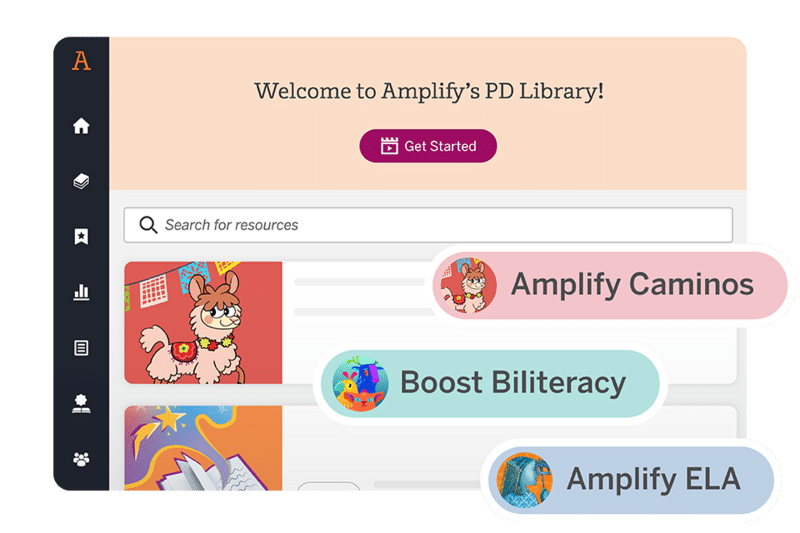
Give your educators 24/7 access to self-paced courses, classroom videos, and instructional resources through our comprehensive PD Library.
💡 Perfect for: Individual teacher growth and flexible PD planning
NO BARRIER SUPPORT FOR DAILY TEACHING
Instant classroom resources
Provide immediate access to program guidance, updates, and training tools—no login required, ready to share instantly.
💡 Perfect for: Quick reference and daily classroom support

Explore additional resources
Stay in the know
- Monthly newsletters with program-specific classroom tips and educator spotlights
- Amplify Facebook groups for community connection
- Amplify blog featuring real teacher experiences
- Podcast Hub for expert insights
- Free fun downloadable resources in English and Spanish!
- Amplify Events to join us for an upcoming online event, webinar, or podcast.
🔖 Bookmark and share with your administrators, instructional staff and coaches, and PD personnel.

Support
- Submit a support request ticket to open a case.
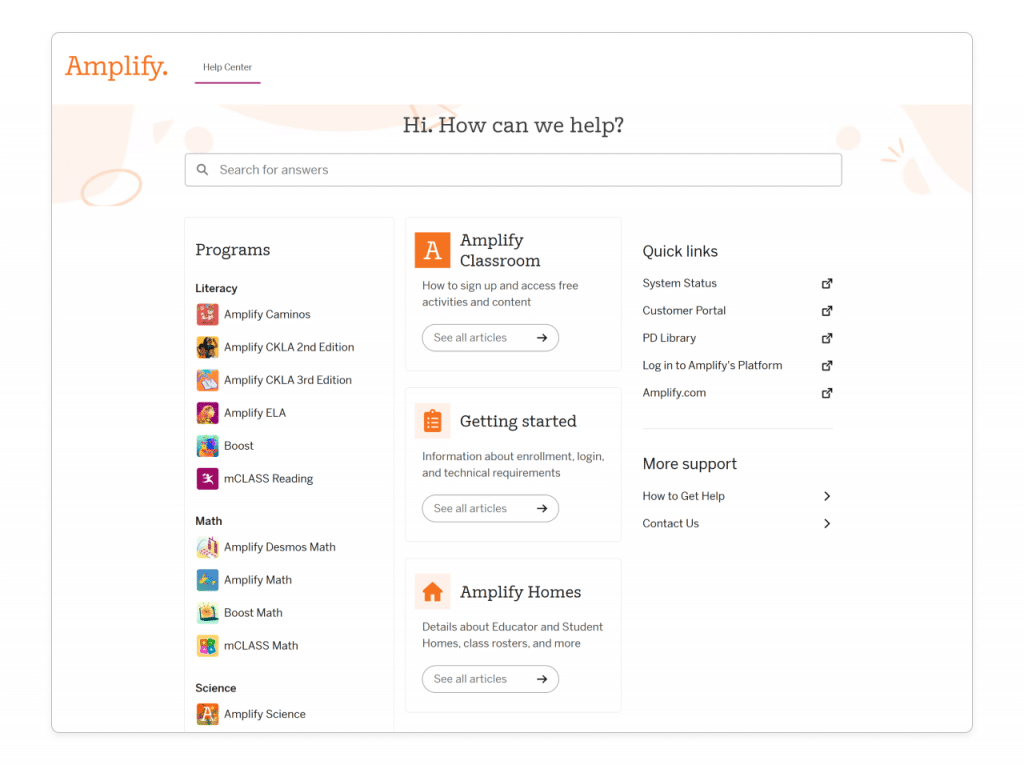
- Amplify Help Center for comprehensive support anytime, anywhere.
- Amplify System Status for platform status such as outages and scheduled maintenance.