Welcome to Teacher Central!
mCLASS® DIBELS 8th Edition and mCLASS Lectura
mCLASS DIBELS 8th Edition is an integrated literacy system, based on the Science of Reading, that offers teacher-administered assessment and holistic instruction for grades K–8.
mCLASS® Lectura is a universal screener for grades K–6, built on modern Spanish literacy research, that helps you accelerate reading growth for your Spanish-speaking students by delivering complete parity between English and Spanish assessments.
This site is designed to help you become familiar with mCLASS DIBELS 8th Edition and mCLASS Lectura.
Quick links
Getting started
New to Amplify? Start here.
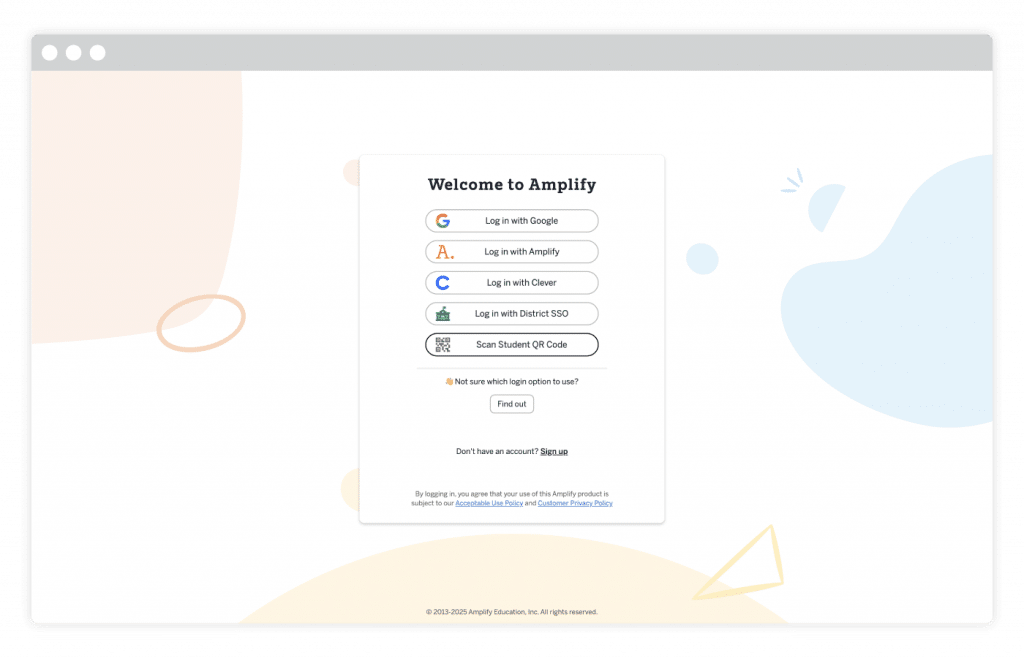
- Logging in to Amplify – A step-by-step guide for first-time users and students.
- Navigating mCLASS – Guidance on what’s new for the
2026-27 school year in the PD Library. - Caregiver Hub – Program overviews and support to share with families.
Teaching with mCLASS
We’ve developed a variety of resources to ensure you have the tools you need to support students in your classroom.
In this section, you’ll find all of the information you need to plan and teach with mCLASS DIBELS 8th Edition and mCLASS Lectura..
mCLASS English Classroom Reporting features a demo mode that will guide teachers through sample classroom and student reports, highlighting realistic student data within the complete set of mCLASS instructional tools.
Demo mode benefits all mCLASS users, whether they’re already familiar with the program or using it for the first time. If teachers are new to mCLASS, they’ll use demo mode to build their understanding of mCLASS reports and instructional tools after training. They can also use demo mode to refresh their memories or learn the nuances of mCLASS reports as needed.
The demo mode feature can be accessed at the top right of the screen once educators are logged in and have clicked on the appropriate mCLASS program. The demo contains authentic data to allow for training on reporting and assessment features.
- Administrators can click on the Admin Reports button on the left navigation bar to manage enrollment records.
- When a teacher clicks on the Apps button on the left navigation bar, they’ll see a menu where they can see additional resources and batch download options for Home Connect letters.
- Teachers can access the mCLASS groups by first navigating to the Reporting tab and then to the Instruction tab. Here they can create and manage groups for viewing in the mCLASS classroom reports.
When an educator clicks the Content button on the left global navigation bar, they will be directed to the page where they can select which mCLASS program they currently use. Once a program is selected, educators will arrive at a page that has two headers at the top: Teacher-Administered Assessment and Student Online Assessment. Here, educators can easily transition from Teacher-Administered Assessment to Student Online Assessment. This is where educators can assign MAZE or additional measures like Vocabulary, Spelling, or RAN.
For both new and returning users, the links in the DIBELS 8th Edition Help page live in the mCLASS Resources section of the Apps Menu, which can be accessed via the left global navigation bar.
In the classroom
Progress Monitoring
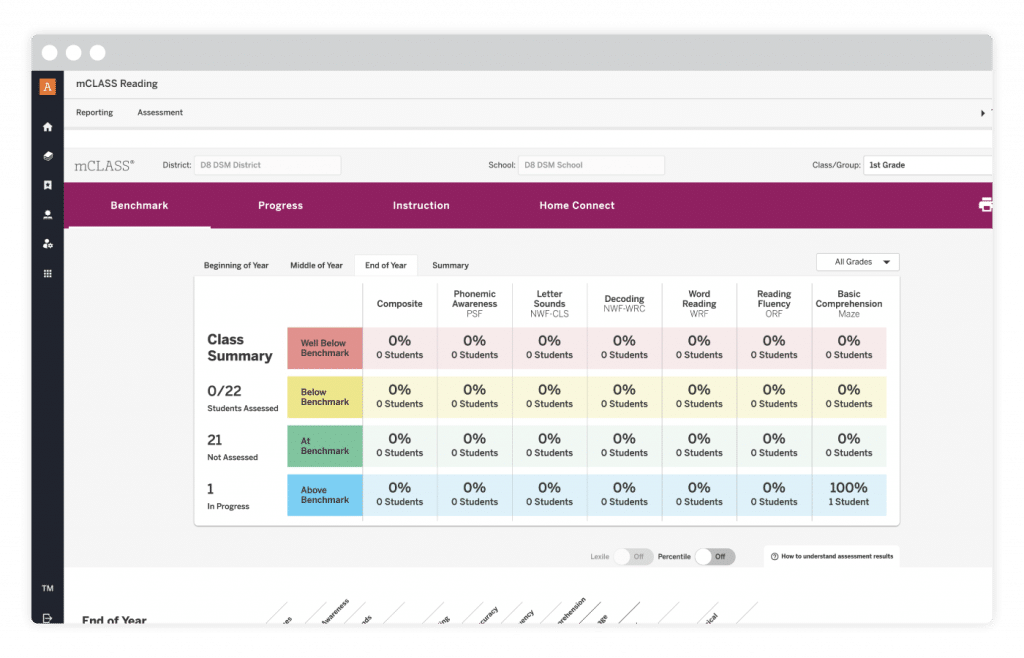
Having a plan in place for progress monitoring ensures that you have a routine that allows you time to assess students on a regular schedule. Setting up a day each week to meet with students can help make this process simpler to build into your literacy block.
Instruction
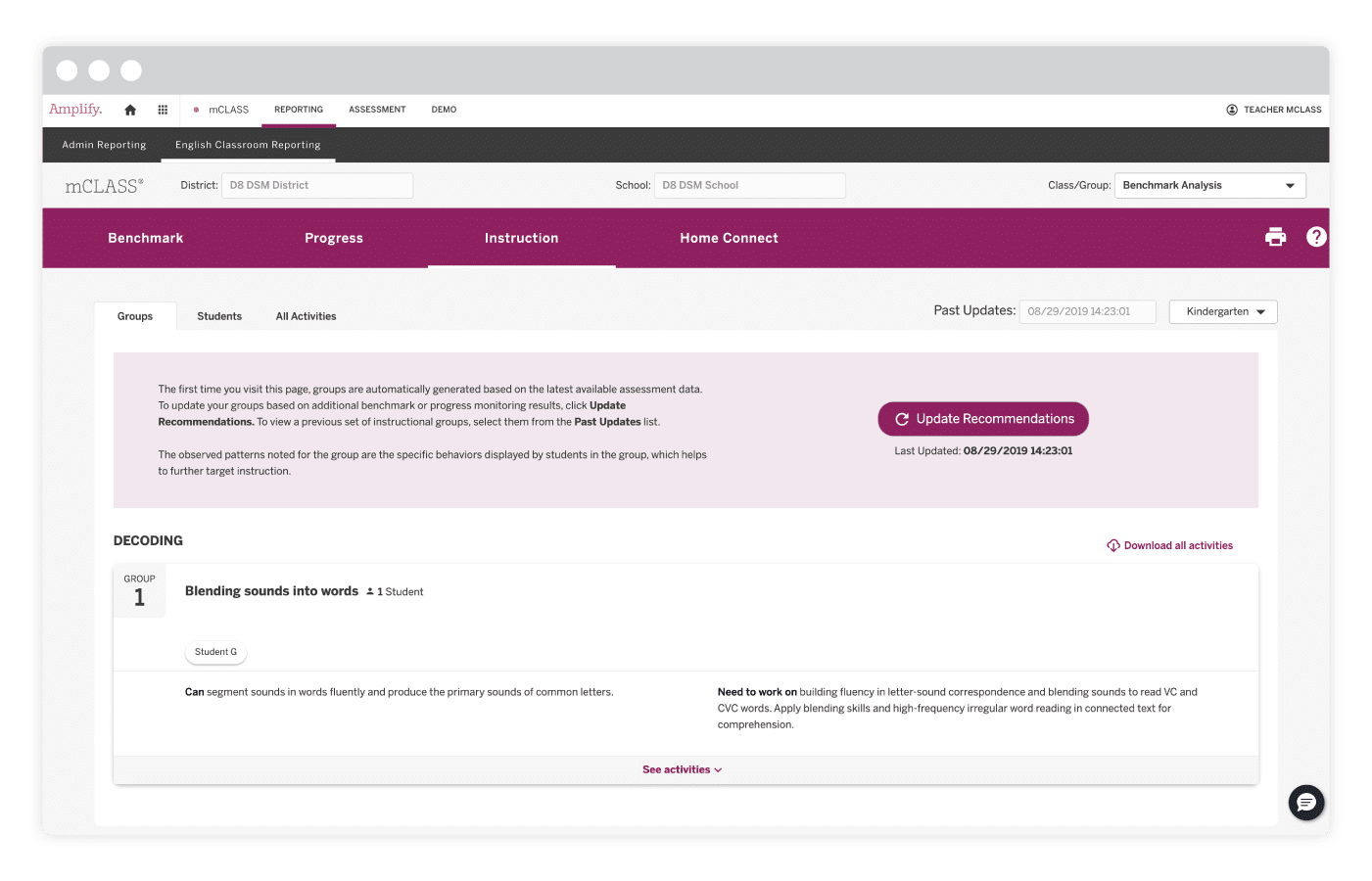
Did you know that mCLASS DIBELS® 8th Edition has an Instruction tab that groups your students based on how they performed on their benchmark assessments and progress monitoring?
This tab also provides valuable resources, such as small-group instruction guidance and targeted activities for each group, making small-group planning a breeze!
DIBELS 8th Edition Help and mCLASS Lectura Help sites
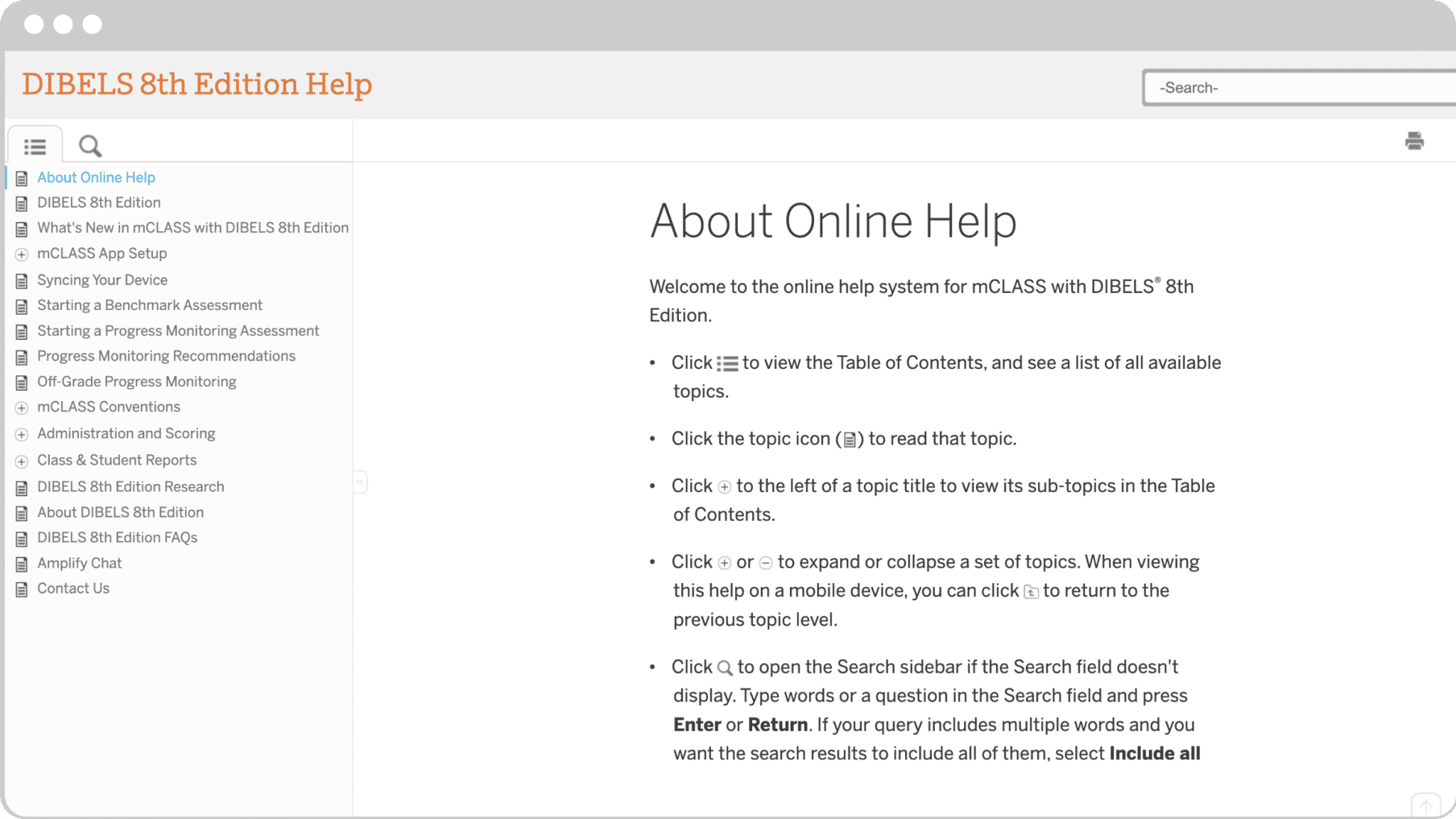
Have you explored the DIBELS 8th Edition Help page and/or the mCLASS Lectura Help page yet?
Log in to find guidance as you prepare to assess students or review data.
Additional resources
Here, you can find additional resources as you continue implementing the program, including opportunities to learn from and engage with other educators, and ways to stay up to date on everything Amplify.
- PD Library: Offers resources for assessing, planning, and implementing Amplify Biliteracy suite, supporting bilingual instruction for Spanish-speaking and multilingual/English learners.
- Back-to-school webinars: Register to join our Amplify experts as they walk you through program essentials and share guidance for getting started.
additional resources
Stay in the know
- Monthly newsletters: Each month, our newsletter features compelling and helpful information: upcoming events, tips for the classroom, educator spotlights, and more.
- Boost Reading and mCLASS Facebook group: Join the community and share ideas with other educators.
- Podcast Hub: Explore our popular podcasts in literacy, math, and science; learn from top thought leaders and educators; and discover cross-disciplinary insights to support your instruction.
- Advice for the Literacy Classroom: Bookmark our YouTube channel packed full of instructional tips and strategies you can put to use in your classroom right away!
- Free downloadable resources: View and download various fun resources, activities, posters, and more (in English and Spanish)!

Need more help?
- Our Help Center contains searchable articles and resources to answer many of your questions.
- If you need additional support, please contact our support team.
Log in at learning.amplify.com, and click the gray chat button in the bottom right corner to chat live with our support team.